
Sell Like a Champion · EquipmentPro for ServiceTitan
Turn your pricebook
into a strategic
asset.
EquipmentPro is the organization system and ServiceTitan pricebook setup that lets your team build professional, option-based equipment proposals onsite in minutes — turning good salespeople into great ones, and closing more deals at higher ticket.
Built for shops already running ServiceTitan.
Built into
ServiceTitan100%
No third-party estimating software
Onsite proposal time
Minutes/ not hours
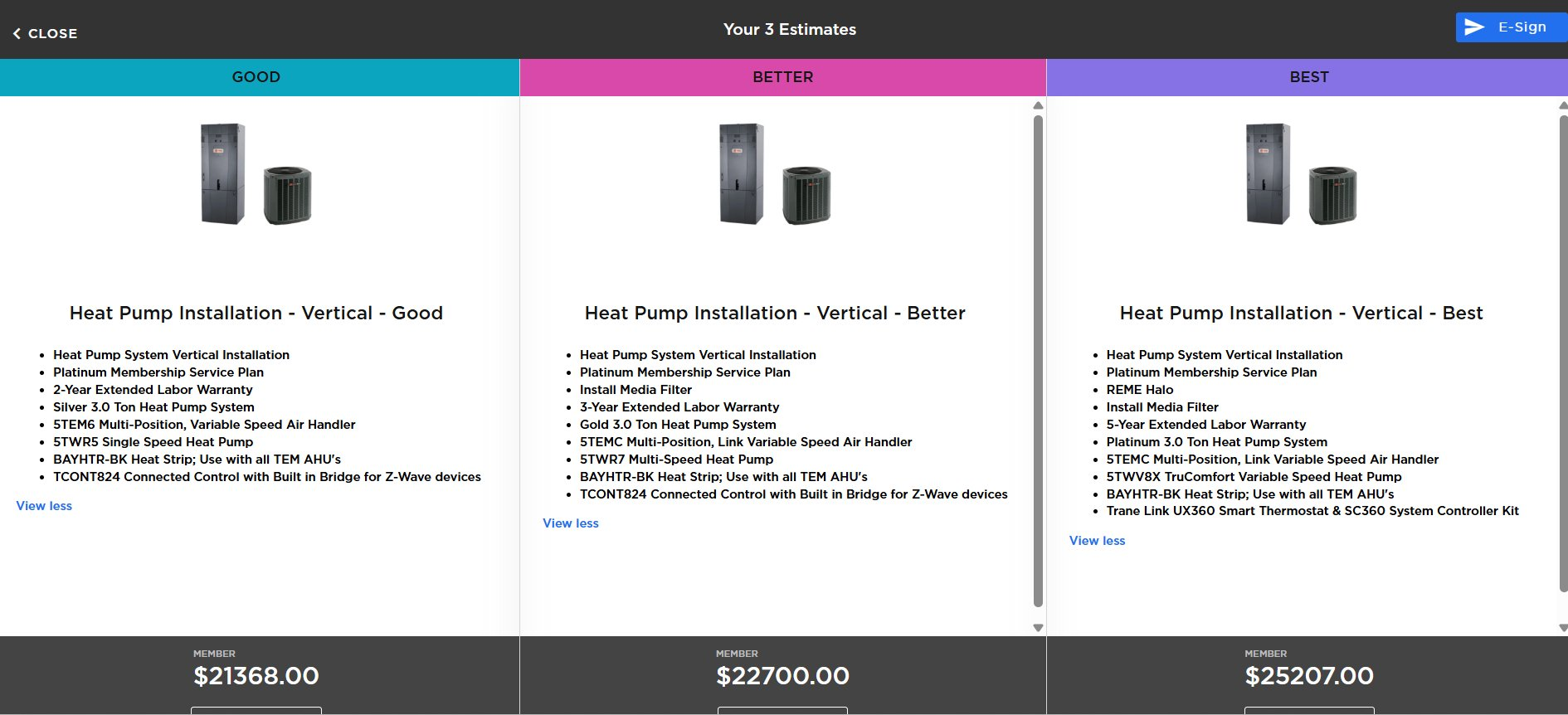
Best · Better · Good in one click
Equipment tiers
4/ Bronze → Platinum
Across every major manufacturer
Client outcomes
↑ Close↑ Avg Ticket
Reported across 150+ active deployments
Live in the ServiceTitan mobile app
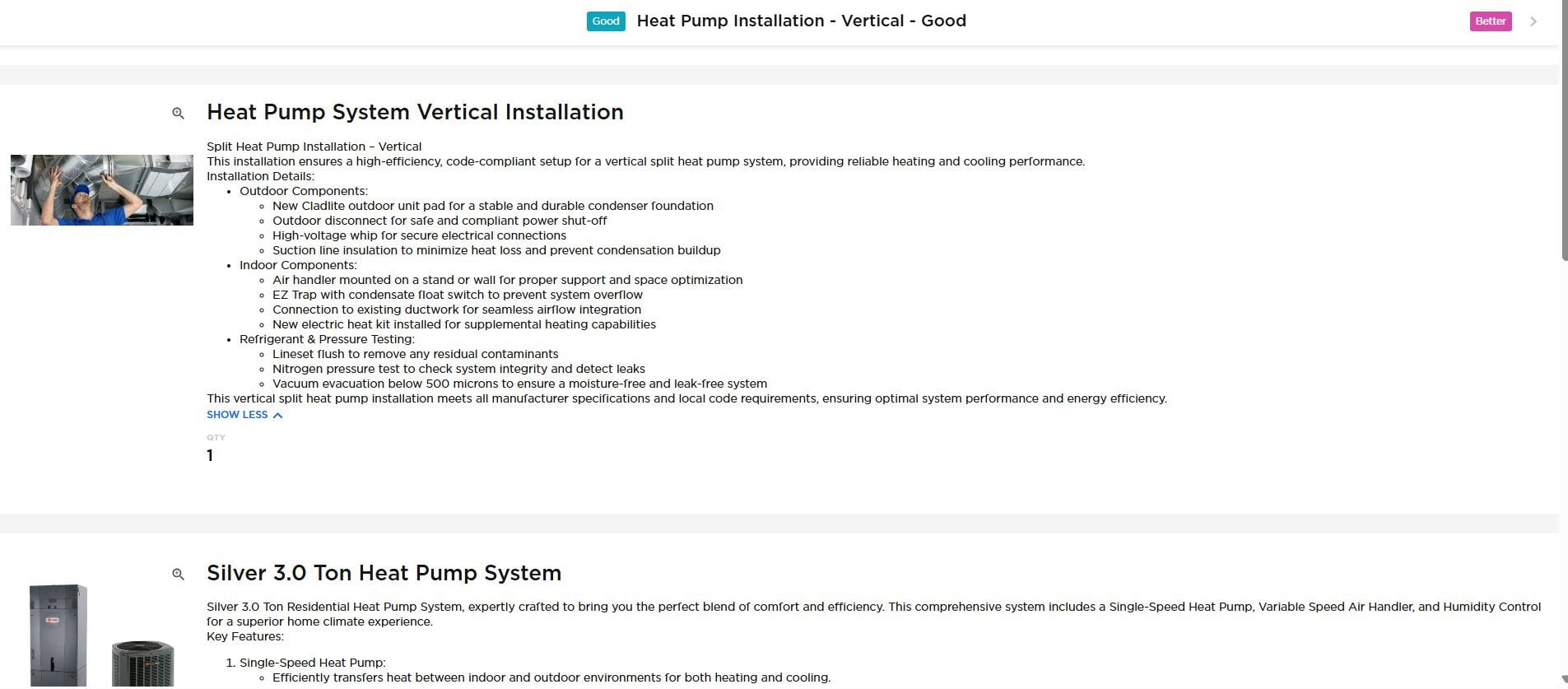
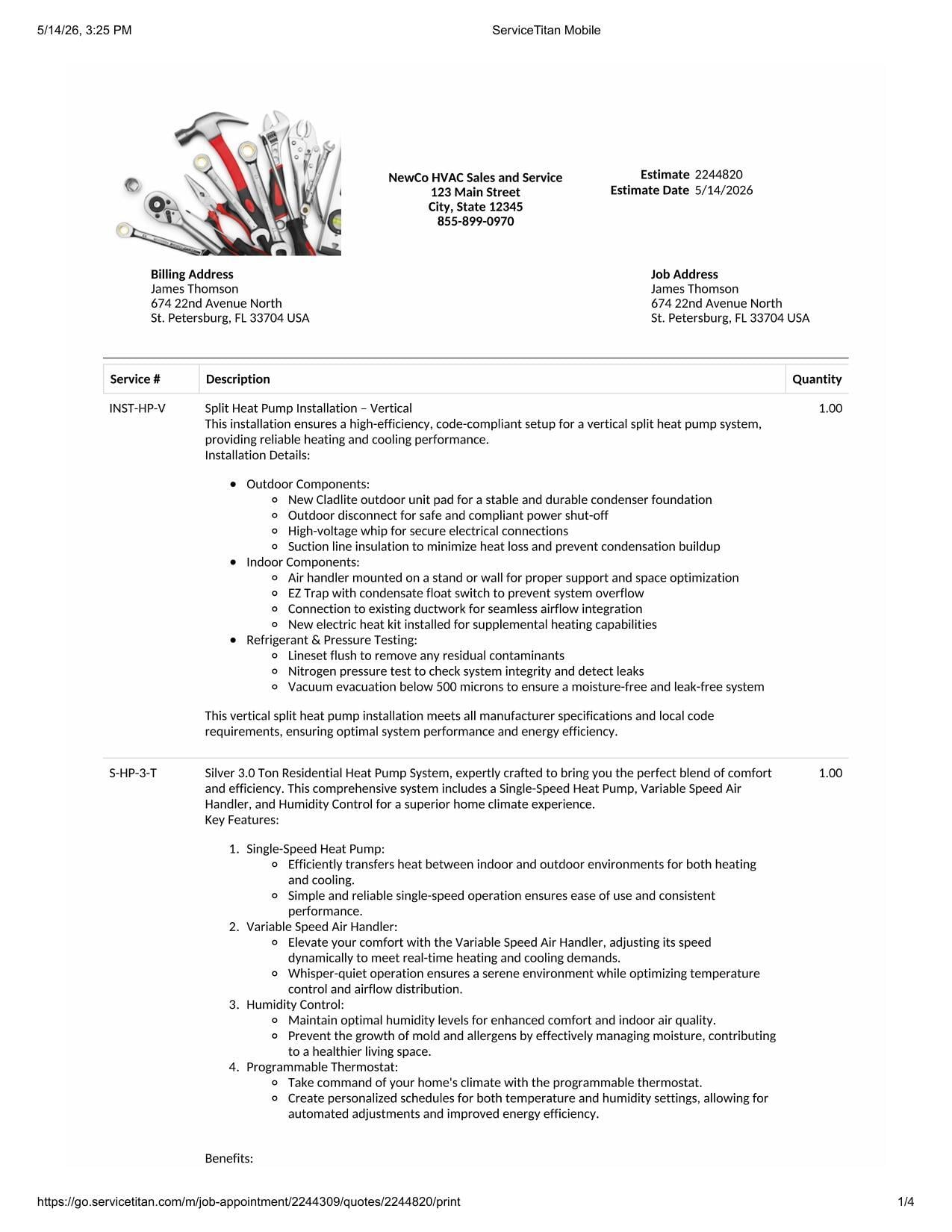
Three views of the
same close.
What your tech pitches on the customer's couch. What the customer reads when they want to dig in. What gets signed and goes home. All generated from the same pricebook setup, inside ServiceTitan.
Manufactureragnostic· same flow, every brand
TraneCarrierDaikinRheemGoodmanAmeristarPayne+ others
Get started
Sell like a
champion.
Request a demo. We'll walk your current pricebook, talk through your tiers and target close rate, and show you what an EquipmentPro build would look like for your shop.